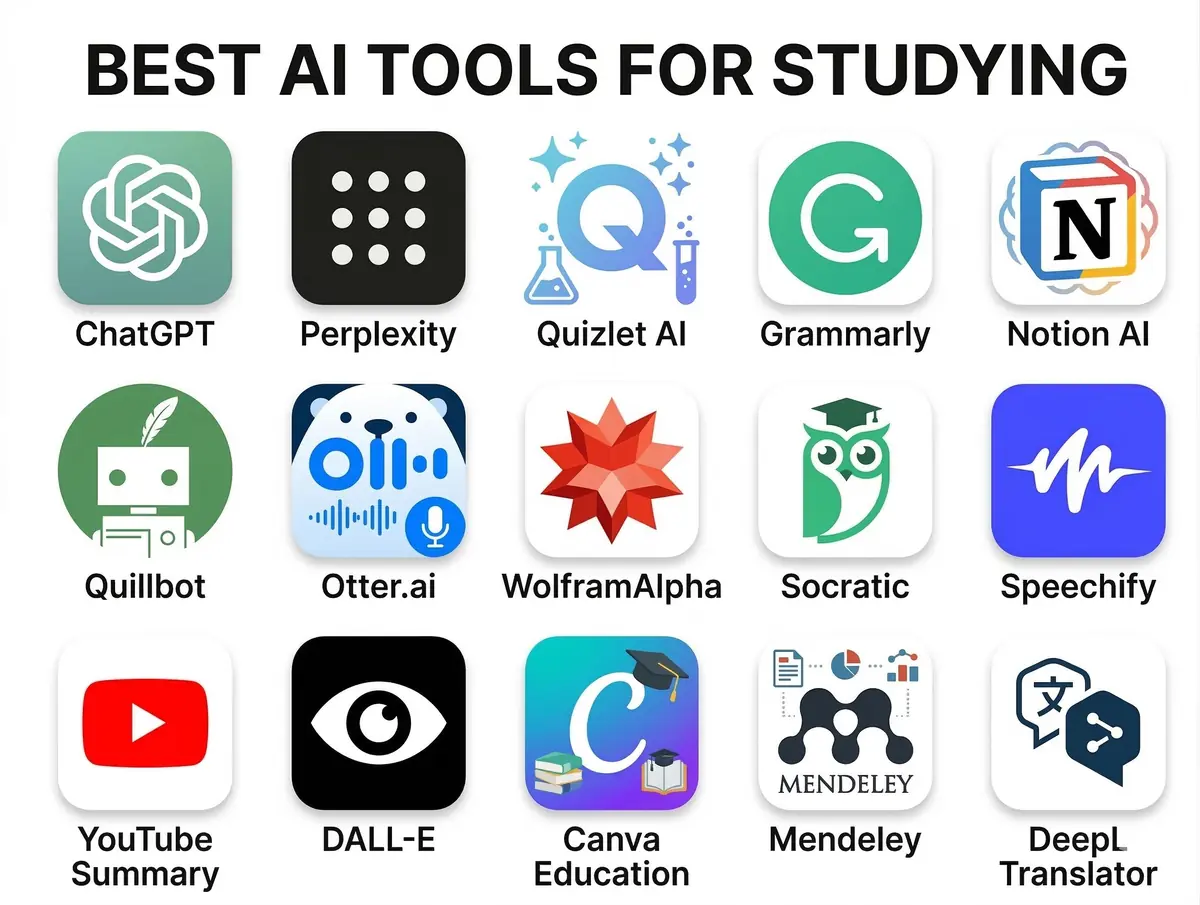
The academic landscape is rapidly evolving, and at its forefront is the transformative power of artificial intelligence. For today's students, embracing AI isn't just about staying current; it's about unlocking unprecedented levels of productivity, comprehension, and creativity. From drafting compelling essays to decoding complex scientific concepts, the right AI assistant can turn daunting tasks into manageable challenges. This comprehensive guide will explore a world of free AI tools for students, designed to elevate your academic journey and prepare you for a future increasingly shaped by intelligent technology. For a deeper dive into how to master your academics with AI, check out our guide on the best AI tools for students in 2026.
- Enhancing Academic Writing with Free AI Tools for Students
- Revolutionizing Research and Information Gathering
- Boosting Productivity and Learning Efficiency
- Unlocking Creativity and Innovation
- Navigating Ethical Considerations and Best Practices
- Conclusion: Empowering Your Journey with Free AI Tools for Students
- Frequently Asked Questions
- Further Reading & Resources
Enhancing Academic Writing with Free AI Tools for Students
Writing is a cornerstone of academic success, yet it often presents significant hurdles, from grammar and style to structuring arguments and avoiding plagiarism. Fortunately, a wealth of free AI tools can act as your personal writing coach, editor, and brainstorming partner. These digital assistants can refine your prose, ensure clarity, and even help you overcome writer's block, making the writing process less stressful and more effective.
AI-Powered Writing Assistants & Grammar Checkers
Gone are the days when a simple spell check was enough. Modern AI writing assistants go beyond basic corrections, offering sophisticated suggestions for style, tone, and conciseness. They can identify awkward phrasing, suggest stronger vocabulary, and ensure your academic papers maintain a professional and coherent voice. Integrating these tools into your workflow can significantly improve the quality of your submissions.
- Grammarly (Free Version): This widely popular tool acts as a comprehensive digital writing assistant. Its free version offers essential grammar, spelling, and punctuation checks, helping students catch common errors. It also provides basic suggestions for conciseness and clarity, making your writing more impactful. Grammarly seamlessly integrates with various platforms, including web browsers, word processors, and email clients, offering real-time feedback as you type.
- QuillBot (Free Version): More than just a paraphraser, QuillBot's free tier offers a suite of writing tools. Students can use its paraphraser to rephrase sentences and paragraphs in different styles (e.g., standard, fluency, creative), which is incredibly useful for avoiding accidental plagiarism and exploring different ways to express ideas. It also includes a summarizer, grammar checker, and a co-writer feature to assist with drafting content. The integration with Microsoft Word and Google Docs further enhances its usability for academic tasks.
- Hemingway Editor (Web-based): While not strictly an AI tool in the generative sense, Hemingway Editor uses algorithmic analysis to improve writing clarity and conciseness. It highlights complex sentences, passive voice, adverbs, and phrases that could be simpler. This tool helps students develop a strong, direct writing style, crucial for academic papers where precision is key. It's a great complementary tool to AI grammar checkers, focusing on readability over grammar rules.
Summarization and Paraphrasing Tools
Digesting vast amounts of information is a daily challenge for students. AI summarization tools can extract key information from lengthy articles, research papers, and textbooks, saving invaluable study time. Paraphrasing tools, when used responsibly, can help students understand and rearticulate concepts in their own words, aiding comprehension and preventing direct copying. For specific tools geared towards coursework, explore our article on unlocking academic success with the best AI tools for homework and assignments.
- Scholarcy (Free Account): Scholarcy is an AI-powered article summarizer that can read research papers, reports, and articles, and break them down into bite-sized sections. It creates a "flashcard" summary, highlighting key facts, figures, and references, and even extracts tables and images. This can significantly speed up the literature review process for students. The free account allows for a limited number of summaries per month, often around 1-3, and has a file size limit of 11MB.
- TextCortex (Free Tier): TextCortex offers a powerful AI writing assistant with a free tier that provides a certain number of creations per day. It can be used for summarizing texts, generating various content formats, and even paraphrasing. Its ability to understand context makes it particularly useful for students needing to condense complex academic material or rephrase sections for clarity.
- Smodin (Free Version): Smodin provides an AI writer, rewriter, and summarizer. Its free version allows students to rephrase text to avoid plagiarism or improve clarity. The summarizer can quickly extract the main points from articles, making it easier to grasp the core arguments of academic papers without reading every word. It's particularly useful for students working on essays, research proposals, or literature reviews.
Plagiarism Checkers
Maintaining academic integrity is paramount. While AI tools can assist with writing, they also bring heightened awareness to the importance of originality. Free AI-powered plagiarism checkers help students ensure their work is entirely their own and properly cited.
- Scribbr Plagiarism Checker (Limited Free Scan): While Scribbr's full plagiarism checker is a paid service, they often offer limited free scans or tools to check for specific issues. Their platform is robust and helps students identify unoriginal content by comparing their work against a vast database of academic papers, journals, and web pages. It's an excellent resource for understanding how to avoid plagiarism effectively.
- DupliChecker (Free Version): DupliChecker provides a free online plagiarism checker that allows users to upload documents or paste text to scan for duplication. It compares the submitted content against billions of web pages and publications. For students, this tool offers a quick and easy way to check drafts for unintentional plagiarism before submission, helping them to refine their citations and paraphrasing.
- Turnitin (Institutional Access): While not directly a "free AI tool" in the consumer sense, Turnitin is widely used by academic institutions. Many students have free access through their university or college. It's an AI-powered similarity detection tool that helps identify potential plagiarism by comparing student submissions against a massive database of academic content and web pages. Understanding how Turnitin works and utilizing any institutional access is crucial for academic success and integrity.
Revolutionizing Research and Information Gathering
The sheer volume of information available today can be overwhelming. AI tools are transforming how students conduct research, making it faster, more targeted, and more efficient. From identifying relevant papers to organizing insights, AI can streamline the entire research process.
Smart Search Engines & Academic Databases
Traditional search engines are powerful, but AI-enhanced search goes a step further, understanding context, identifying key concepts, and even connecting disparate pieces of information. For academic research, this means less time sifting through irrelevant results and more time engaging with pertinent scholarship.
- Elicit (Free Tier): Elicit bills itself as an "AI Research Assistant" and is invaluable for students. Its free tier allows users to ask research questions in natural language, and it then finds relevant papers, summarizes their abstracts, extracts key claims, and even identifies study populations and interventions. This significantly speeds up the literature review process, helping students pinpoint crucial research more efficiently.
- Connected Papers (Limited Free Usage): This visual tool helps students explore and discover academic papers by building a graph of related works. You start with one or two seed papers, and Connected Papers uses AI to map out a "research landscape," showing influential predecessors and successors. This is excellent for broadening your understanding of a research area and finding new, relevant sources, with limited free usage available.
- Consensus (Free Version): Consensus is an AI search engine specifically designed for scientific research. It helps students get answers directly from research papers, summarizing findings, identifying systematic reviews, and even comparing claims across multiple studies. The free plan offers a limited number of "Pro Searches" and "Deep Searches" per month, which analyze a certain number of papers. Students and teachers may also qualify for special discounts or extended free access by signing up with their school email.
Note-Taking and Organization
Effective note-taking and organization are critical for academic success. AI tools can automate aspects of this process, from transcribing lectures to structuring your research notes, ensuring that valuable information is captured and easily retrievable.
- Otter.ai (Free Basic Plan): Otter.ai uses AI to transcribe spoken conversations in real-time. For students, this means recording lectures, study group discussions, or interviews and having an accurate, searchable text transcript instantly. The free basic plan offers up to 300 minutes of transcription per month, with a 30-minute limit per transcription, and allows for three lifetime audio or video file imports. It also provides AI summaries and supports real-time transcription for platforms like Zoom, Teams, and Google Meet.
- Notion AI (Limited Free Features): Notion is a versatile workspace, and its AI features, even in limited free capacities, can be incredibly useful. Students can use Notion AI to summarize meeting notes, brainstorm ideas, generate drafts for various documents, or even rephrase existing text within their Notion pages. It helps in structuring information, making databases more intelligent, and enhancing overall productivity in a centralized workspace.
- Obsidian (Free for Personal Use) with AI Plugins: While Obsidian itself is a knowledge base and note-taking tool that's free for personal use, its extensibility through community plugins makes it powerful. Various community-developed AI plugins (some free, some with API key requirements) can be integrated to summarize notes, generate ideas, or link related concepts, creating a "second brain" that grows with your studies.
Boosting Productivity and Learning Efficiency
Students juggle countless tasks, from attending lectures and completing assignments to preparing for exams and managing personal commitments. AI tools can significantly boost productivity and learning efficiency by automating routine tasks, providing personalized learning experiences, and offering smart assistance across various academic domains.
Language Learning Aids
Learning a new language opens up new academic and career opportunities. AI-powered language tools provide interactive, personalized, and engaging ways to practice, learn vocabulary, and improve fluency beyond traditional methods.
- Duolingo (Free Version): Duolingo is a gamified language-learning app that uses AI to personalize the learning path for each user. It adapts to your learning pace and focuses on areas where you need improvement. The free version offers access to lessons, exercises, and challenges in dozens of languages, making it a fun and effective way for students to pick up a new language or brush up on existing skills.
- ChatGPT/Gemini (Free Access): Large Language Models like ChatGPT and Gemini can be invaluable for language learners. Students can use them for conversational practice, asking for explanations of grammar rules, generating example sentences, or even translating complex phrases. Gemini, in particular, offers a free plan with continuous access to Gemini 2.5 Flash and a limited daily quota of Gemini 2.5 Pro prompts, and some student programs offer a full year of Pro features. This provides a dynamic and always-available language tutor that can adapt to specific questions and scenarios.
- Google Translate (Free): While not a learning tool in itself, Google Translate uses advanced AI to provide instant translations for text, voice, images, and even real-time conversations. For students encountering foreign language texts in their research or trying to understand lectures in another language, it's an essential quick reference tool for comprehension. Google Translate supports over 100 languages and has features like image translation and offline mode.
Study Planners and Schedule Organizers
Effective time management is a critical skill for students. While many scheduling apps exist, some are beginning to incorporate AI to offer smarter suggestions, anticipate workload, and help students optimize their study routines. To revolutionize your entire study process, consider integrating these with other advanced tools discussed in our guide on the best AI tools for studying in 2026.
- Todoist (Free Plan) with Smart Scheduling: Todoist, a popular task manager, has a free plan that can be enhanced with smart scheduling. While not a full AI planner, its "Smart Schedule" feature uses AI to suggest optimal due dates for tasks based on your habits and available time, helping students prioritize and plan their study sessions more effectively.
- Forest (Productivity App - Focus Tool): While Forest isn't strictly an AI planner, it uses gamification to encourage focused work. Students "plant a tree" when they start a focused session, and if they leave the app, the tree withers. This simple yet effective psychological nudge, combined with its ability to track focus time, helps students manage distractions and cultivate better study habits.
- Calendar Apps with AI Integrations (e.g., Google Calendar with smart suggestions): Many standard calendar applications, like Google Calendar, are increasingly integrating AI features. These can include suggesting meeting times based on availability, sending smart reminders, and even offering time estimates for tasks based on past behavior. Google's Gemini AI is also integrating with Google Calendar to help automate meeting scheduling and manage your schedule.
Coding and Debugging Assistance
For students in STEM fields, particularly computer science, coding is a core activity. AI tools are emerging as powerful assistants, helping with code generation, debugging, and understanding complex programming concepts, accelerating the learning curve.
- ChatGPT/Gemini for Code Explanation and Generation (Free Access): These large language models are incredibly versatile for coding students. They can explain complex algorithms, generate code snippets for specific tasks, help debug errors by suggesting fixes, and even clarify programming concepts in various languages. Gemini offers a free tier for individuals, with access to its Flash model and limited requests for its Pro model, and university students can get free access to Gemini Pro for one year. This provides an on-demand tutor and coding partner for students grappling with difficult assignments.
- Tabnine Basic (Free Tier): Tabnine is an AI code completion tool that predicts and suggests the next lines of code based on context. Its basic (free) tier offers helpful auto-completions, significantly speeding up the coding process and reducing syntax errors. For students learning to code, this can be a valuable aid, helping them write cleaner and more efficient code faster.
- Replit (Free Online IDE with AI): Replit is a free online IDE (Integrated Development Environment) that allows students to write, run, and share code in virtually any language. It has integrated AI features, including an "AI Code Assistant" that can help with code generation, debugging, and understanding. This makes it an excellent platform for students to practice coding, collaborate on projects, and get immediate AI assistance without needing to set up complex local environments.
Unlocking Creativity and Innovation
Beyond academic rigor, university is a time for fostering creativity and exploring new ideas. AI tools are not just for analytical tasks; they can also be powerful catalysts for artistic expression, design, and innovative problem-solving, opening up new avenues for students to explore their creative potential.
Image Generation
Visual communication is increasingly important. AI image generation tools allow students to create unique visuals for presentations, projects, or even personal artistic endeavors without needing advanced design skills.
- Canva Magic Studio (Limited Free Uses): Canva, a popular graphic design platform, has introduced "Magic Studio" with AI-powered features. While many advanced features are paid, the free tier often includes limited access to tools like text-to-image generation, magic eraser, and background removal. This enables students to create custom graphics and enhance presentations with unique visuals effortlessly.
- Clipdrop (Free Tools): Clipdrop offers a suite of AI-powered image editing tools, many of which are free to use. These include "Uncrop," which extends images beyond their original borders, "Relight," to add custom lighting, and "Cleanup," to remove unwanted objects. For students working on design projects or presentations, these tools can dramatically improve the visual quality of their work.
- Lexica Art (Free Access to Stable Diffusion): Lexica Art provides a user-friendly interface for generating images using the Stable Diffusion model. Students can input text prompts and generate a wide array of images in various styles. It's an excellent tool for visual brainstorming, creating unique illustrations for reports, or simply exploring creative concepts through AI-generated art.
Presentation Design
Creating compelling presentations can be time-consuming. AI presentation tools automate much of the design process, allowing students to focus on content while the AI handles layout, imagery, and even narrative flow.
- Tome (Limited Free Version): Tome is an AI-powered storytelling and presentation tool. Its limited free version allows users to create visually rich and interactive presentations by simply inputting text. The AI helps generate layouts, suggest images, and structure the narrative, making it significantly faster and easier for students to craft engaging presentations for class projects or group work. The free plan typically grants a certain number of AI credits (e.g., 500) for generating text, images, and narratives.
- Gamma (Limited Free Version): Similar to Tome, Gamma uses AI to help create beautiful and interactive presentations and documents. With its free tier, students can quickly transform outlines or bullet points into polished slides, complete with design suggestions and multimedia integration. This can save hours of design work, allowing students to focus on refining their message.
- Beautiful.ai (Limited Free Trial/Features): Beautiful.ai uses AI to automatically apply design best practices to your slides. While its full feature set is subscription-based, they often offer free trials or limited free access that students can utilize for quick, professional-looking presentations. It ensures design consistency and visual appeal, even for those without graphic design experience.
Navigating Ethical Considerations and Best Practices
While the benefits of free AI tools for students are clear, it's crucial to approach their use with an understanding of ethical considerations and best practices. AI is a tool, and like any tool, its effectiveness and impact depend on how it's wielded. Responsible use ensures that AI enhances learning without compromising academic integrity or critical thinking skills.
Understanding AI Limitations
AI tools, especially generative ones, are powerful but not infallible. They can sometimes produce incorrect, biased, or nonsensical information, a phenomenon often referred to as "hallucination." Students must understand that AI output should always be critically reviewed and fact-checked, especially when dealing with academic content. Relying solely on AI without independent verification can lead to misinformation in assignments.
Ensuring Academic Integrity
The availability of AI writing and paraphrasing tools raises important questions about academic integrity. Universities are rapidly developing policies regarding AI use. Students should always:
- Cite AI tools: If an AI tool significantly contributed to your work (e.g., for brainstorming, outlining, or rephrasing), it's good practice to acknowledge its use and cite it according to your institution's guidelines or a relevant citation style.
- Use AI as an assistant, not a replacement: AI should support your learning process, not bypass it. The goal is to enhance your understanding and output, not to submit AI-generated content as your own original thought without critical engagement.
- Understand plagiarism policies: Familiarize yourself with your university's policies on plagiarism and AI use. Misusing AI can have serious academic consequences.
Developing Critical Thinking Skills
Ironically, the rise of AI makes human critical thinking more important than ever. Students must learn to:
- Evaluate AI output: Don't blindly accept what an AI generates. Question its sources, biases, and accuracy.
- Formulate effective prompts: The quality of AI output heavily depends on the quality of the input prompt. Learning to craft precise and clear prompts is a valuable skill in itself.
- Retain core skills: While AI can assist with writing or coding, students still need to develop fundamental skills in these areas. AI should be used to augment, not erode, these essential competencies.
Data Privacy and Security
When using free online AI tools, students should be mindful of data privacy. Always read the terms of service and privacy policies, especially if uploading sensitive academic work or personal information. Be cautious about tools that require excessive permissions or store your data indefinitely. Prioritize tools from reputable developers who have clear privacy statements.
Conclusion: Empowering Your Journey with Free AI Tools for Students
The integration of artificial intelligence into daily life, especially within education, is no longer a futuristic concept but a present reality. For students navigating the complexities of academic life, the array of free AI tools available offers unprecedented opportunities to streamline tasks, deepen understanding, and unlock creative potential. From refining essays with advanced grammar checkers to revolutionizing research with intelligent search engines, and from boosting productivity with smart scheduling to fostering creativity with AI art generators, these digital assistants are powerful allies. Embracing these free AI tools for students responsibly, with an awareness of their strengths and limitations, will not only enhance your academic performance but also equip you with essential skills for a future where human intelligence and artificial intelligence collaborate seamlessly. The future of learning is here, and it’s smarter, more efficient, and more accessible than ever before.
Frequently Asked Questions
Q: What are the best free AI tools for academic writing?
A: For academic writing, top free AI tools include Grammarly (for grammar and style), QuillBot (for paraphrasing and summarization), and Hemingway Editor (for clarity). These can refine prose, suggest improvements, and aid in drafting.
Q: Can AI tools help students with research and organization?
A: Absolutely. Tools like Elicit and Consensus can summarize research papers and provide targeted answers, while Otter.ai transcribes lectures. Notion AI helps organize notes and brainstorm, streamlining the entire research workflow.
Q: Is it ethical for students to use AI tools for assignments?
A: Ethical use of AI is crucial. Students should use AI as an assistant to enhance learning and productivity, not as a replacement for original thought. Always cite AI use when appropriate and adhere to your institution's academic integrity policies regarding AI.