Automating Web Scraping with Selenium and Python: A Deep Dive
In an increasingly data-driven world, the ability to programmatically gather information from websites has become an indispensable skill for developers, data scientists, and businesses alike. While various tools exist for data extraction, Automating Web Scraping with Selenium and Python offers a powerful and flexible solution, particularly when dealing with dynamic content and complex user interactions. This deep dive will explore how this potent combination enables you to navigate, interact with, and extract data from even the most intricate web pages, unlocking a wealth of insights previously trapped behind interactive interfaces. Understanding this synergy is crucial for anyone looking to build robust and scalable data collection pipelines.
- The Imperative of Web Scraping in the Digital Age
- Understanding Selenium's Role in Browser Automation
- Automating Web Scraping with Selenium and Python: Getting Started
- Navigating and Interacting with Web Pages
- Advanced Techniques for Robust Web Scraping
- Real-World Applications
- Ethical Considerations and Legal Implications
- Optimizing Performance and Scaling Your Scraper
- Frequently Asked Questions
- Conclusion: Mastering Dynamic Data Extraction
- Further Reading & Resources
- About the Analytics Drive Editorial Team
The Imperative of Web Scraping in the Digital Age
The internet is a vast ocean of information, yet much of it remains unstructured and difficult to access programmatically. Web scraping is the technique of automatically extracting data from websites, transforming unstructured web data into structured data that can be stored and analyzed. This process is far more efficient and accurate than manual data collection, which is often tedious, error-prone, and unsustainable for large datasets.
From competitive analysis to academic research, and from market trend prediction to content aggregation, the applications of web scraping are virtually limitless. Companies leverage scraped data to monitor competitor pricing, track product reviews, identify emerging market trends, and even train machine learning models. The demand for reliable and efficient web scraping solutions continues to surge as organizations seek to gain a competitive edge through data intelligence.
However, modern websites are not static documents. They are dynamic, interactive applications built with JavaScript frameworks that render content on the client-side, respond to user input, and load data asynchronously. Traditional web scraping tools, which primarily rely on parsing static HTML, often fall short in these scenarios. This is where the power of browser automation tools like Selenium, combined with the versatility of Python, becomes essential.
Why Traditional Scraping Falls Short
Many initial attempts at web scraping involve libraries like requests for fetching HTML and Beautiful Soup for parsing it. While excellent for static web pages, their utility diminishes significantly when faced with JavaScript-rendered content. When you send a request to a dynamic website, the initial HTML response often contains little more than a skeleton and links to JavaScript files. The actual data you want to scrape is then fetched and rendered by these JavaScript scripts after the page has loaded in a browser.
-
JavaScript Execution: Traditional parsers don't execute JavaScript. They only see the initial HTML. If data is loaded via AJAX after page load, it won't be present in the initial response.
-
User Interactions: Many websites require clicks, form submissions, scrolling, or login credentials to reveal specific content. Static parsers cannot simulate these actions.
-
Dynamic Content: Content that changes based on user input, infinite scrolling, or delayed loading mechanisms (e.g., lazy loading images) poses a significant challenge.
These limitations highlight the need for a tool that can mimic a real user's interaction with a web browser. This is precisely the gap that Selenium fills, making it an indispensable asset in a modern web scraper's toolkit. When working with local data before or after scraping, developers often look into automating file processing with Python Pathlib to manage the influx of downloaded information.
Understanding Selenium's Role in Browser Automation
Selenium is an open-source umbrella project for a range of tools and libraries that support the automation of web browsers. Originally designed for automated testing of web applications, its capabilities extend far beyond quality assurance. By allowing developers to programmatically control web browsers, Selenium empowers them to perform actions like navigating to URLs, clicking buttons, filling forms, and extracting rendered content.
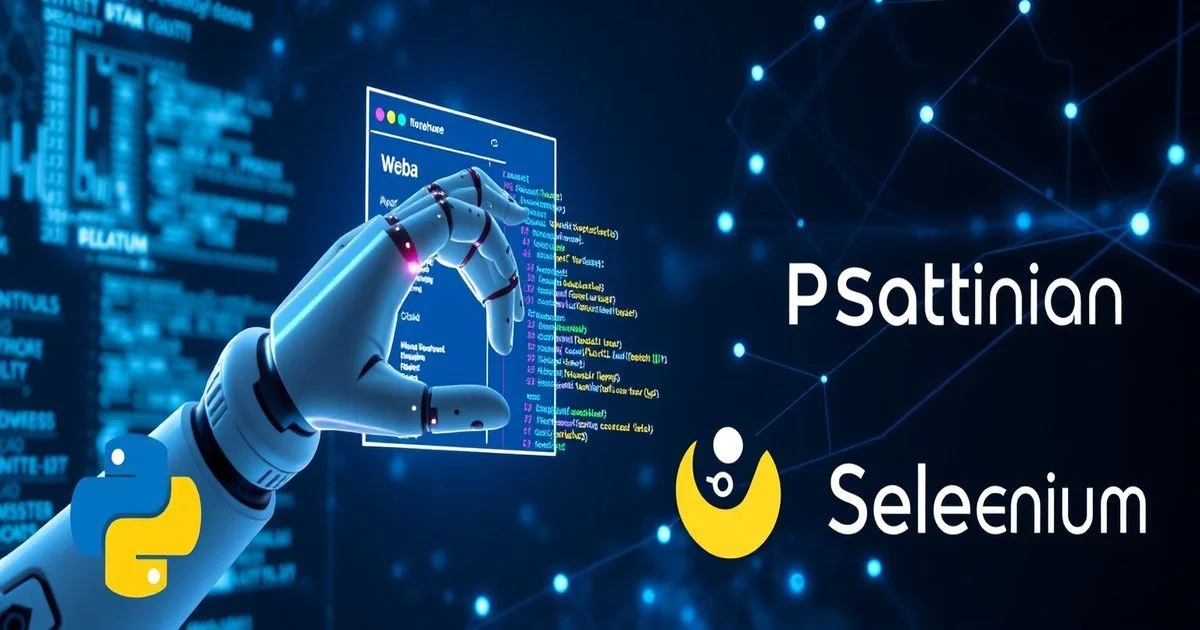
Think of Selenium as a sophisticated robot arm that can precisely interact with a web browser window. It can open a browser, type text, click elements, wait for content to load, and then "see" exactly what a human user would see, including all content generated by JavaScript. This direct interaction with a live browser instance is what sets Selenium apart from HTTP request-based scraping libraries.
Key Components of the Selenium Ecosystem
The Selenium project is composed of several core components, each serving a distinct purpose in enabling robust browser automation. Understanding these components is crucial for effective implementation.
-
Selenium WebDriver: This is the heart of Selenium. WebDriver is an API and protocol that enables programs to control web browsers. It provides a language-agnostic interface for interacting with different browser implementations (Chrome, Firefox, Edge, Safari, etc.) through their respective browser drivers.
-
Browser Drivers: Each browser requires a specific driver that translates WebDriver commands into native browser commands. For example, ChromeDriver for Google Chrome, GeckoDriver for Mozilla Firefox, and so on. These drivers act as intermediaries, allowing your Python script to communicate with the browser instance.
-
Selenium IDE: A browser extension that allows you to record and playback interactions with a web browser. While not typically used for complex programmatic scraping, it can be a useful tool for quickly prototyping actions and identifying element locators.
-
Selenium Grid: A system that allows you to run Selenium tests in parallel across multiple machines and browsers. For large-scale scraping operations, Selenium Grid can distribute the load, significantly speeding up data collection.
Automating Web Scraping with Selenium and Python: Getting Started
Setting up your environment for Automating Web Scraping with Selenium and Python is a foundational step. This involves installing the necessary libraries and browser drivers to ensure seamless communication between your Python script and the target web browser. A well-configured environment minimizes potential roadblocks and allows you to focus on the scraping logic itself.
Setting Up Your Development Environment
Before writing any code, you need to prepare your machine. This process involves installing Python, the Selenium library, and the appropriate web browser driver for your chosen browser.
-
Install Python: Ensure you have Python 3.x installed. You can download it from the official Python website: Python.org.
-
Install Selenium Library: Use pip, Python's package installer, to install the Selenium library.
bash
    pip install selenium
This command fetches and installs the core Selenium WebDriver components, making them available for your Python scripts. -
Download Browser Driver: Choose your preferred browser (e.g., Chrome, Firefox) and download its corresponding WebDriver.
- ChromeDriver: For Google Chrome. Download from the official ChromeDriver site. Ensure the driver version matches your Chrome browser version.
- GeckoDriver: For Mozilla Firefox. Download from the GeckoDriver GitHub Releases page.
- MSEdgeDriver: For Microsoft Edge. Download from the Microsoft Edge WebDriver developer site.
Configuration Tip:
Place the downloaded executable driver file (e.g., chromedriver.exe or geckodriver) in a directory that is included in your system's PATH variable, or specify its path directly in your Python script. Placing it in your PATH is generally more convenient for larger projects.
Basic Scraping Workflow: A Conceptual Overview
The fundamental process of web scraping with Selenium and Python follows a logical sequence:
-
Initialize the Browser: Start a new instance of your chosen web browser using its respective WebDriver.
-
Navigate to URL: Direct the browser to the target website you wish to scrape.
-
Locate Elements: Identify the specific HTML elements (e.g., text, links, images, input fields) that contain the data you need. Selenium provides various locator strategies for this purpose.
-
Perform Actions (Optional): Interact with the webpage by clicking buttons, filling forms, scrolling, or waiting for elements to appear.
-
Extract Data: Retrieve the text, attributes, or other properties of the located elements.
-
Process Data: Clean, structure, and store the extracted data in a suitable format (e.g., CSV, JSON, database).
-
Close Browser: Terminate the browser instance to free up system resources.
Navigating and Interacting with Web Pages
Selenium's strength lies in its ability to simulate human interaction with a web page. This involves not just fetching content, but actively navigating, clicking, typing, and waiting for dynamic elements to appear.
Element Locators: Finding Your Way Around
To interact with any element on a webpage, Selenium first needs to "find" it. This is done using various locator strategies. The quality of your locators directly impacts the robustness and maintainability of your scraper. In complex software development, applying design patterns in OOP can help organize these locator strategies into manageable classes, such as the Page Object Model.
The most common locator strategies include:
-
ID: The most efficient way to locate an element if it has a unique
idattribute. Example:driver.find_element(By.ID, "main-content"). -
NAME: Locates elements by their
nameattribute, often used for form inputs. Example:driver.find_element(By.NAME, "q"). -
CLASS_NAME: Locates elements by their CSS class name. Be cautious, as class names are often not unique. Example:
driver.find_element(By.CLASS_NAME, "product-title"). -
TAG_NAME: Locates elements by their HTML tag name (e.g.,
<a>,<p>,<div>). Useful for finding all elements of a certain type. -
LINK_TEXT / PARTIAL_LINK_TEXT: Locates anchor elements by the exact or partial visible text of the link.
-
CSS_SELECTOR: A powerful and flexible way to locate elements using CSS selectors. Example:
driver.find_element(By.CSS_SELECTOR, "div.product-card > h2.title"). -
XPATH: The most versatile and complex locator, allowing navigation through the XML structure. Example:
driver.find_element(By.XPATH, "//div[@class='item-price']/span").
Explicit and Implicit Waits: Handling Dynamic Content
Modern web applications often load content asynchronously. Trying to locate an element before it appears on the page will result in an error. Selenium provides "waits" to handle these situations gracefully.
Implicit Waits:
An implicit wait tells WebDriver to poll the DOM for a certain amount of time when trying to find any element not immediately available.
from selenium import webdriver

driver = webdriver.Chrome()
driver.implicitly_wait(10) # Wait up to 10 seconds
driver.get("https://example.com")
Explicit Waits:
Explicit waits are more powerful. They allow you to define specific conditions that WebDriver should wait for before proceeding.
from selenium.webdriver.support.ui import WebDriverWait
from selenium.webdriver.support import expected_conditions as EC

element = WebDriverWait(driver, 10).until(
    EC.presence_of_element_located((By.ID, "myDynamicElement"))
)
Advanced Techniques for Robust Web Scraping
While basic navigation is fundamental, real-world web scraping requires sophisticated techniques to handle anti-scraping measures and optimize performance.
Handling Anti-Scraping Mechanisms
Websites frequently employ measures to detect and block automated bots. Overcoming these requires a combination of strategies:
-
User-Agent Spoofing: Change the User-Agent header to mimic a regular browser.
-
Proxies: Route your requests through different IP addresses to avoid IP-based blocking.
-
Headless Browsing: Run Selenium without a visible browser UI. This saves resources and can be less detectable.
python options = Options() options.add_argument("--headless") driver = webdriver.Chrome(options=options) -
Randomized Delays: Introduce random pauses between actions to mimic human browsing patterns.
-
Rate Limiting: If you are building a system that scrapes at scale, it is vital to implement rate limiting in distributed systems to avoid being flagged as a DDoS attack.
Storing and Structuring Data
Once data is extracted, it needs to be stored and structured efficiently.
-
CSV/JSON: For simpler datasets, CSV or JSON files are lightweight and easy to use.
-
Databases: For larger, more complex datasets, relational databases (e.g., PostgreSQL) or NoSQL databases (e.g., MongoDB) offer better scalability. Python libraries like
pandasandSQLAlchemyare invaluable here.
Real-World Applications
The versatility of Automating Web Scraping with Selenium and Python extends to a myriad of real-world scenarios across various industries.
-
E-commerce Price Monitoring: Businesses use Selenium to track competitor pricing and product availability across various online retail platforms.
-
Market Research: Researchers gather data on product popularity and consumer sentiment from forums and social media.
-
Lead Generation: Sales teams scrape public company directories or professional networking sites to build targeted lead lists.
-
Financial Data Collection: Investors scrape financial news portals and stock market data sites for algorithmic trading strategies.
Ethical Considerations and Legal Implications
While the technical capabilities are powerful, it's crucial to approach web scraping with a strong understanding of ethics and legality.
Respecting Website Terms of Service (ToS):
Most websites have Terms of Service that state whether automated access is permitted. Violating these can lead to IP bans or legal challenges.
Checking robots.txt:
The robots.txt file is a standard that websites use to communicate with web crawlers. Always adhere to these ethical guidelines.
Data Privacy and Copyright:
Scraping personal identifiable information (PII) is regulated by laws like GDPR and CCPA. Furthermore, website content is often copyrighted; scraping and republishing it without permission can lead to infringement lawsuits.
Optimizing Performance and Scaling Your Scraper
For larger tasks, your scraper must be performant and resilient.
-
Resource Management: Always remember to call
driver.quit()to avoid memory leaks. -
Minimize Browser Interactions: Every click and navigate adds overhead. Optimize your logic to minimize unnecessary actions.
-
Parallel Scraping: Use Python's
threadingorasynciomodules to run multiple scraper instances concurrently. For massive scale, Selenium Grid is the industry standard. -
Incremental Scraping: Only scrape new or updated content to save time and resources for both you and the target website.
Frequently Asked Questions
Q: Is Selenium better than Beautiful Soup?
A: Selenium is superior for dynamic sites that require JavaScript execution to reveal content, whereas Beautiful Soup is faster and more resource-efficient for static HTML parsing.
Q: How do I avoid getting blocked while scraping?
A: You should use rotating proxies, vary your user-agents, implement random delays between actions, and strictly respect the target website's robots.txt file and rate limits.
Q: Can Selenium scrape mobile apps?
A: No, Selenium is designed for web browsers. For mobile app automation, you should use Appium, which is built on the same WebDriver protocol as Selenium.
Conclusion: Mastering Dynamic Data Extraction
The ability to effectively perform Automating Web Scraping with Selenium and Python is a cornerstone skill in the modern data economy. From unraveling complex, JavaScript-rendered content to simulating intricate user interactions, this powerful combination empowers developers and data professionals to extract invaluable insights from the vast expanse of the web.
However, with great power comes great responsibility. The ethical and legal considerations surrounding web scraping cannot be overstated. Adhering to robots.txt directives, respecting terms of service, safeguarding data privacy, and implementing responsible rate limiting are essential pillars of professional data collection. As web technologies continue to evolve, so too will the methodologies of web scraping. By leveraging Selenium and Python responsibly, you can unlock a universe of data, transforming unstructured web content into actionable intelligence that drives innovation.
Further Reading & Resources
- Selenium Official Documentation
- Python Official Documentation
- W3C WebDriver Standard
- Beautiful Soup Documentation
- Scrapy Framework Official Site
About the Analytics Drive Editorial Team
The Analytics Drive Editorial Team comprises experienced data scientists, developers, and tech journalists dedicated to demystifying complex technical topics. We strive to provide in-depth, accurate, and actionable insights to empower our readers in the ever-evolving landscape of technology and data science.